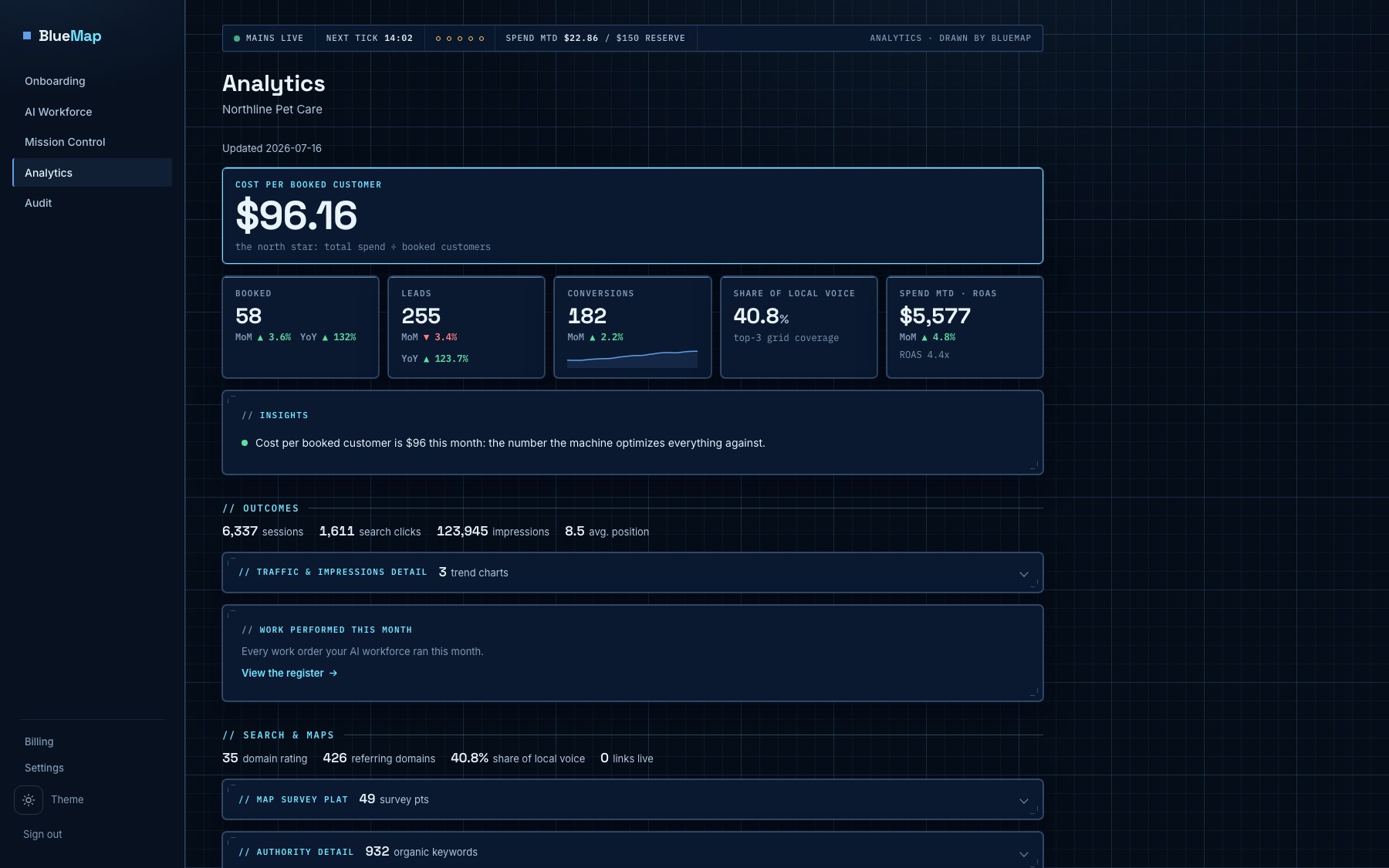
See how every location is found
BlueMap measures each of your locations the way its customers find it: Google search, the Business Profile, the map grid around the address and the answers AI assistants give. Every site is audited monthly and scored against its last audit. The group gets one report.
Four ways a location is found, on one page
A location is found in Google search, on its Business Profile, on the map around its address, and now in the answers AI assistants give. BlueMap puts the four side by side for every location you run, with the previous period beside each number.
Search Console clicks and impressions with the queries and pages behind them. Business Profile calls, direction requests and website clicks. A 9 by 9 grid of map ranks around the address, scanned weekly, with share of local voice and the rivals who outrank you. And whether ChatGPT, Gemini, Perplexity, Claude, Google AI Overviews and AI Mode name the location when someone in its city asks.
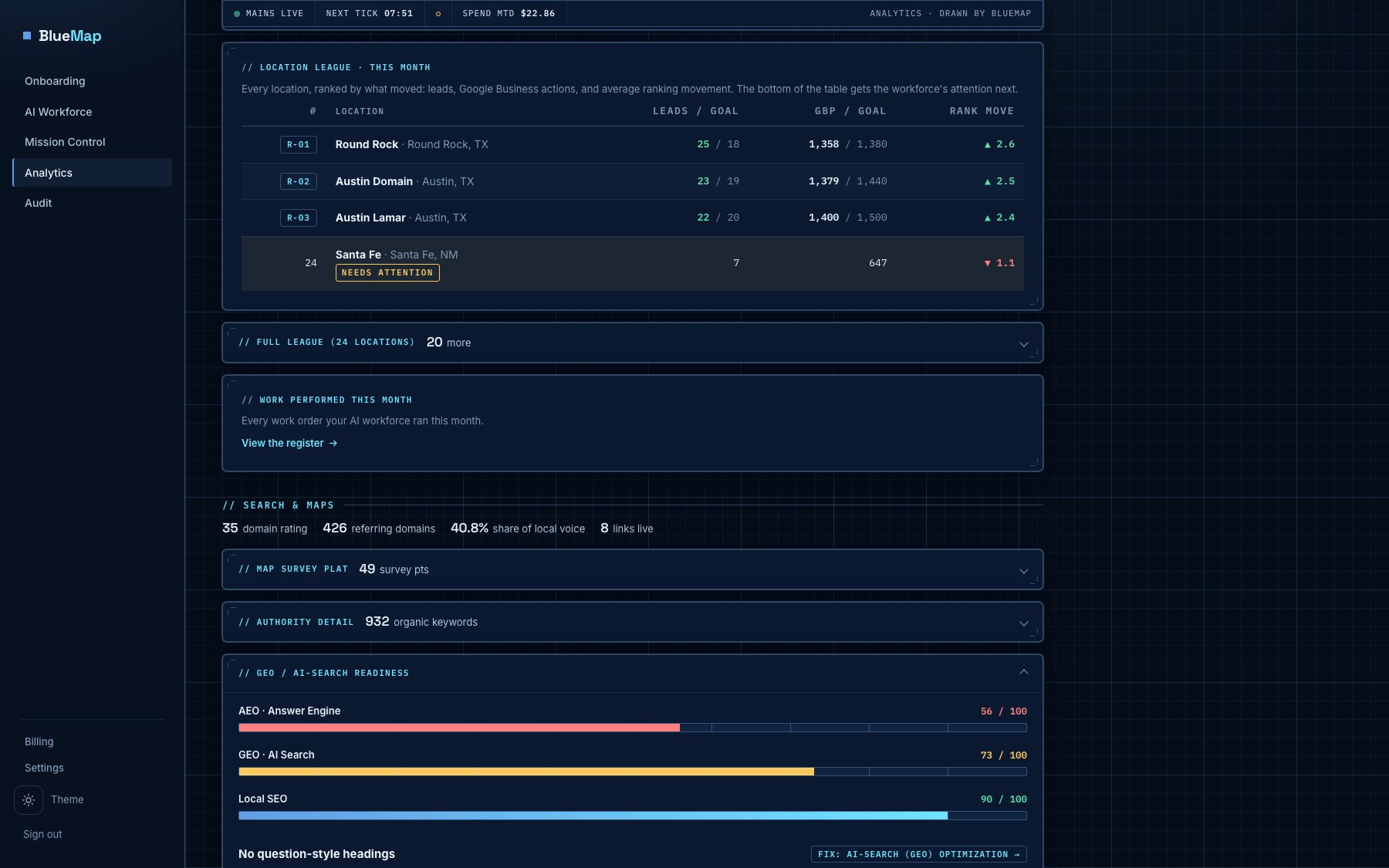
Every location in one league table
Each location reports its own numbers and rolls up to the group. The league table ranks every location on the same columns, with the movement since last month beside each one, so the hospital that slipped on the map is visible without opening fifty dashboards.
Pick the columns once and the table remembers them. A regional director sees their region; the group sees everything.
Start with the free audit
One location's website to a scored report in about a minute. No sales call. No card.
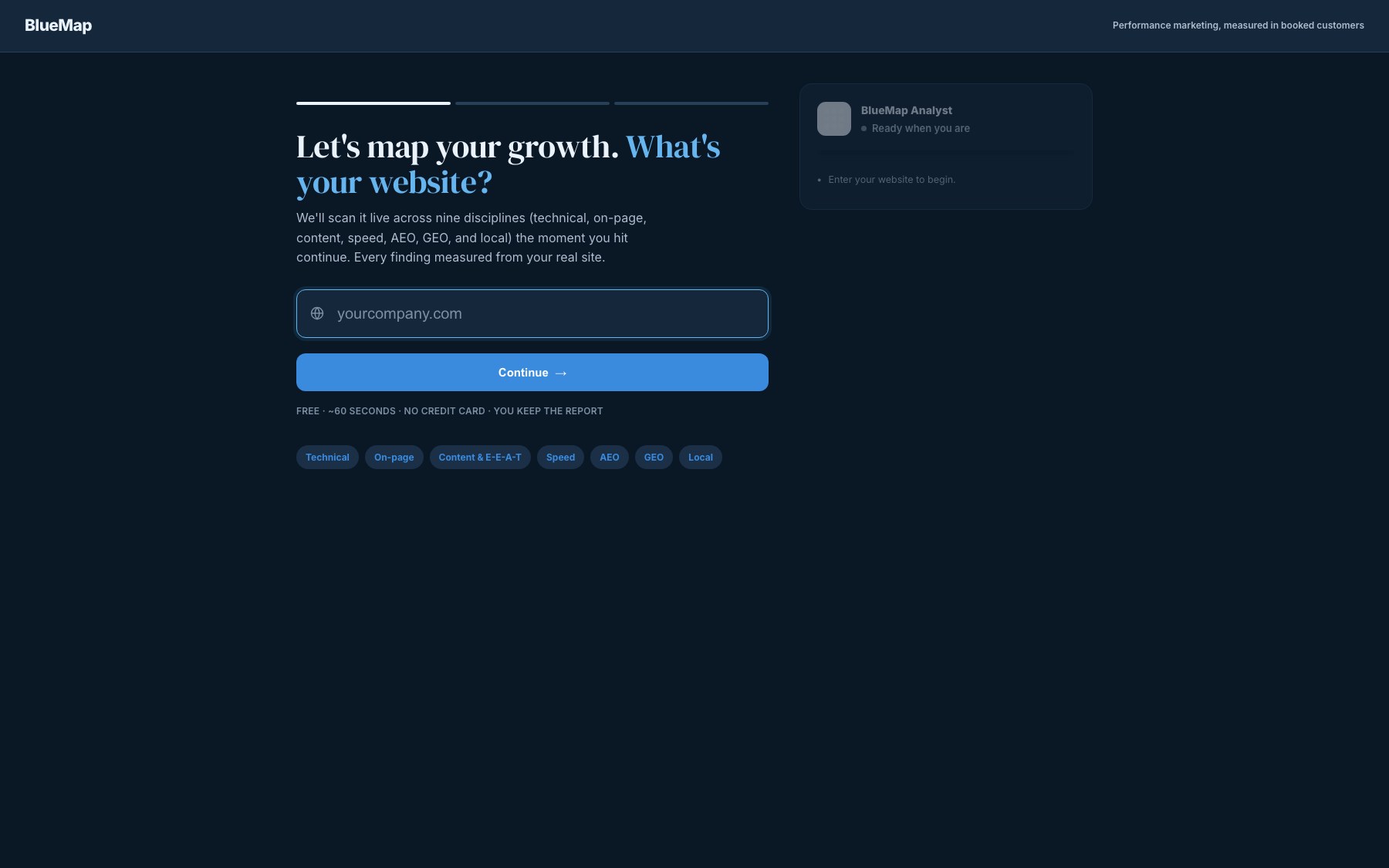
Enter one location's website. See where it stands
The crawl reads the live site and scores nine disciplines. It names the page each broken link sits on, duplicate titles and descriptions, orphan pages and redirect chains. The full report is yours to keep.
Paste the roster. Connect the Google data
Name, address, city, state and website for every location, as a CSV. Connect Search Console, Analytics and the Business Profiles once. Map scans and AI answers start per location, and the numbers follow within a day.
One email a month, for the group and for each location
Outcomes, growth, visibility, links and site health, each number beside last month's. The audit movement is in it: what cleared, what is new, per location.
Built for groups with many addresses
Veterinary groups first, then home services, medical and dental, and franchise systems: businesses where every address competes in its own town and the group needs one honest view of all of them.
Measured, not estimated
Every number on the dashboard traces to something BlueMap read: a Search Console row, a Business Profile action, a map rank at a point on a grid, an answer an AI assistant gave, a page the crawler fetched. When a source has not delivered, the cell says what it is waiting for instead of showing a zero. Run the first audit free and read the report's own work receipt: pages crawled, checks run, bytes read.
Points around each address
A 9 by 9 grid of ranks, scanned weekly, with share of local voice and the rivals who outrank you at each point.
Platforms asked per city
ChatGPT, Gemini, Perplexity, Claude, Google AI Overviews, AI Mode and the two consumer apps, asked the questions your customers ask, answers kept.
Disciplines scored monthly
Technical, on-page, content, speed, answer-engine readiness, AI search, local and more, scored against the last audit, with the pages behind every finding.
One email a month
Outcomes, growth, visibility, links and site health for the group and for each location, each number beside last month's.
Priced per location
A monthly price per active location plus one group fee. The number depends on how many locations you run and which sources are connected. It is quoted in writing after the free audit and before anything is billed. Month to month.
- Search Console and Business Profile numbers
- A 9 by 9 map grid, scanned weekly
- AI answers from eight platforms
- A monthly site audit with movement
- The league table across every location
- The monthly report to your inboxes
- Seats for the team, scoped by region or unit
- Roster imports and source connections handled
- BlueMap does not buy ads or manage ad spend
- BlueMap does not edit your sites or listings
- Data costs are inside the price, never billed through
- No annual contract
Published prices follow the first group contracts in November 2026.
See every location
the way its customers do
Run the free audit on one site and walk away with its score and its fix list. Reply to the report and the group view is set up for every address you run.
Get your free audit →